Testing Webhooks using ngrok and webhook.site
Install and Configure ngrok
Ngrok is required to expose your local development server to the internet.
Steps:
- Install ngrok (if using
yay):yay -S ngrok - Sign up on ngrok and verify your account via email.
- Retrieve your authentication token from the ngrok website.
- Run the following command to configure ngrok:
ngrok config add-authtoken "your-auth-token"
Set Up a Local Webhook Server
Create a webhook server using Node.js and Express:
const express = require('express');
const app = express();

app.use(express.json());
const PORT = process.env.PORT || 8000;

app.post('/', (req, res) => {
  console.log('--- Incoming Webhook Data ---');
  const { Transcript, PhoneNumber, CustomerSpecificData, Duration, InformationGathered, AnswersToQuestion } = req.body;

  console.log('Transcript:', Transcript);
  console.log('PhoneNumber:', PhoneNumber);
  console.log('CustomerSpecificData:', CustomerSpecificData);
  console.log('Duration (minutes):', Duration);
  console.log('InformationGathered:', InformationGathered);
  console.log('AnswersToQuestion:', AnswersToQuestion);

  console.log('--- Incoming Webhook ---');
  console.log(`Headers: ${JSON.stringify(req.headers)}`);
  console.log(`Query Params: ${JSON.stringify(req.query)}`);
  console.log(`Body: ${JSON.stringify(req.body)}`);
  console.log('-------------------------');

  res.status(200).json({ message: 'Webhook received successfully!' });
});

app.listen(PORT, () => console.log(`Server running on port ${PORT}`));
Expose Local Server with ngrok
Run the following command to create a public URL:
ngrok http 8000
Ngrok will generate a public Forwarding URL.
Configure VoiceGenie Webhook
- Navigate to VoiceGenie campaign settings.
- Locate the Webhook URL configuration field.
- Paste the ngrok URL obtained in the previous step.
- Save and verify the webhook.
- Once verified, you should start receiving dummy data.
Validate Data Reception
Once the campaign is completed successfully, you should receive all data locally on your server.
Alternative Testing Method
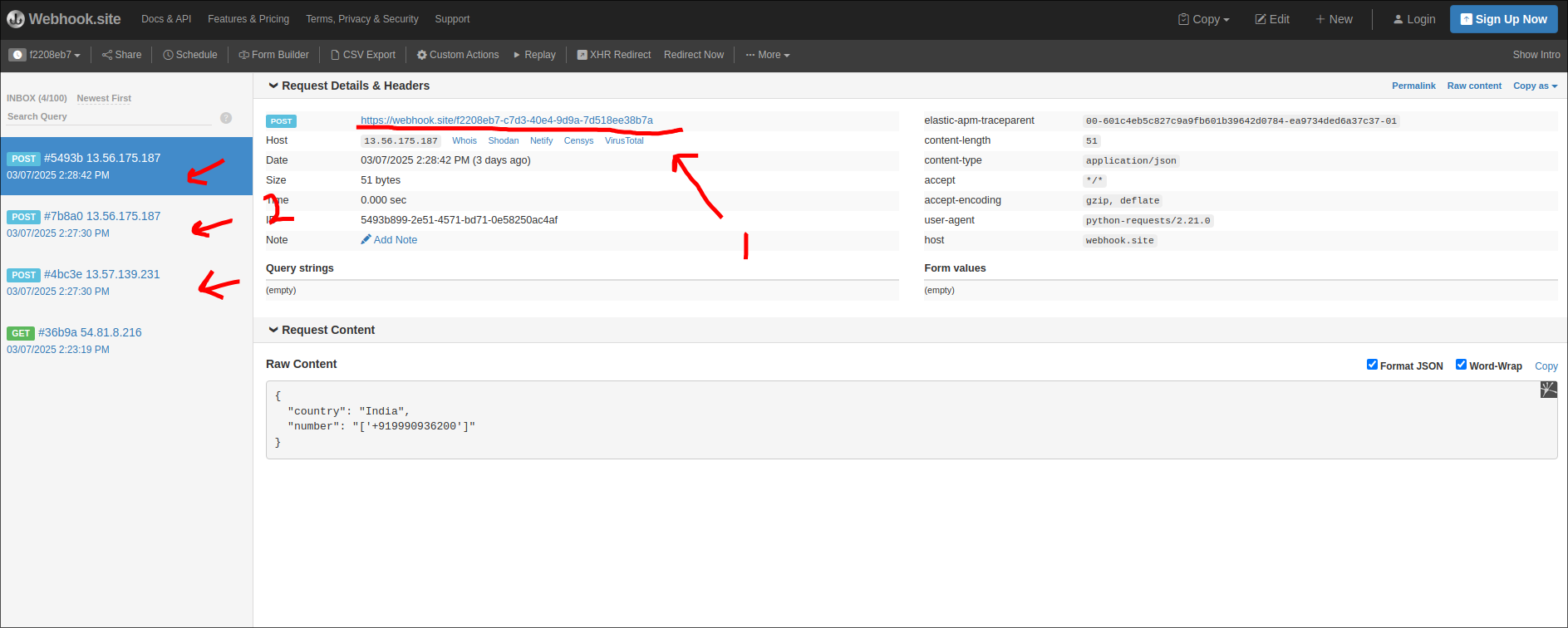
Another simple way to test the webhook is by using a hosted free webhook provider:
- Open: Webhook.site
- Copy the webhook URL from the top.
- View all received requests on the left panel.
- Enable notifications to receive desktop alerts for each new request received.